Tag: wordpress theme

  • How to Bulk Publish or Bulk Edit Posts, Pages & Products in WordPress?

    How to Bulk Publish or Bulk Edit Posts, Pages & Products in WordPress?

    WordPress is a powerful platform to organise almost any type of content management system, such as Blog, E-Commerce, Portal on your Website. Managing content, products and its hierarchy is very handy and so are the bulk publishing tools. In this article, we learn about how to bulk edit or publish posts, pages and products in WordPress.

    Bulk Edit Posts

    To locate bulk actions in WordPress, navigate to Dashboard > All Posts. Just below the Posts Heading and above the posts listing, there is a drop-down selection box “Bulk Actions“. In contrast, this selection box extend bulk editing capabilities for our content management system.
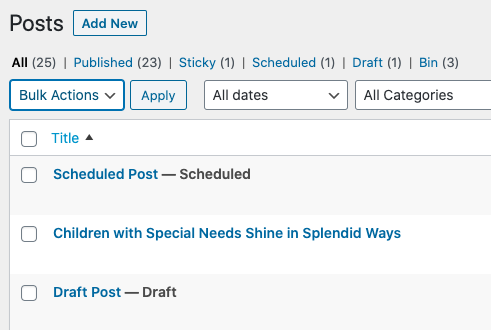
    Bulk Edit Actions for Posts

    To use bulk editing functionality, we must select the checkboxes located next to post titles. Because we are editing the WordPress posts in bulk. After multi-selecting the posts, select “Edit” to bulk edit the posts. Or “Move to Bin” to trash all the WordPress posts together.
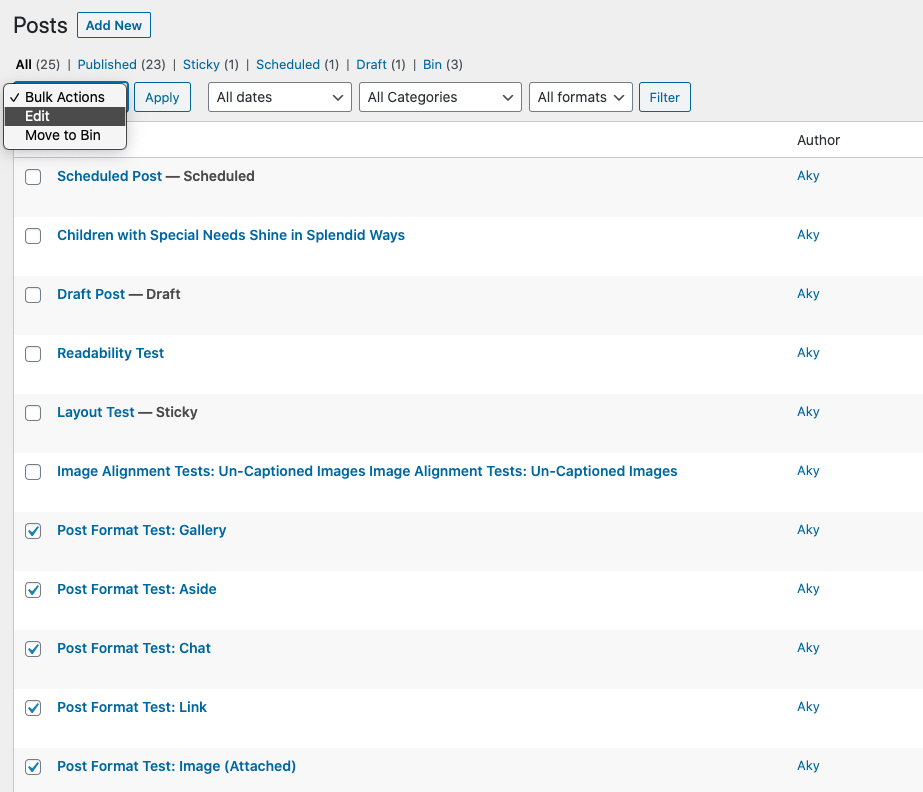
    Bulk Edit Actions selection box for Posts

    Edit Actions for WordPress Posts

    If you select “Edit” bulk action, then we get the following options, as visible in the screenshot below.
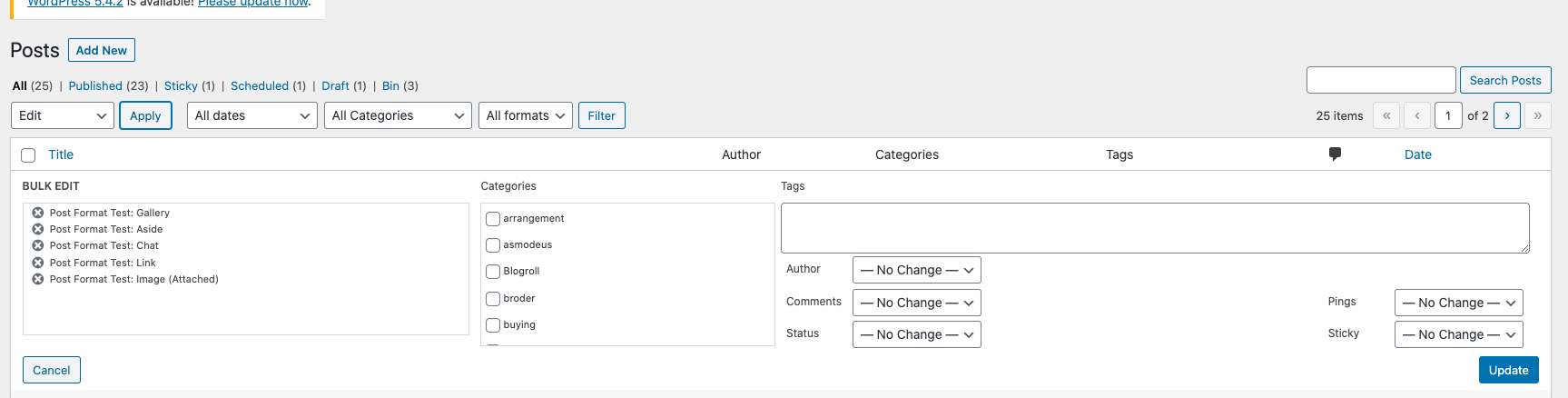
    Bulk Edit Actions Options for Posts

    On the left most pane, it shows the selected post items, followed by the categories. This method is very useful to assign a single category to multiple posts. Similarly, you may assign Author, Allow Comments or Disallow comments, etc.

    Bulk Publish WordPress Posts

    To change the Status of the post from draft to Published or Pending Review, click on the Status selection box. So, Select “Published” option followed by “Update” button to change the status of the WordPress posts.
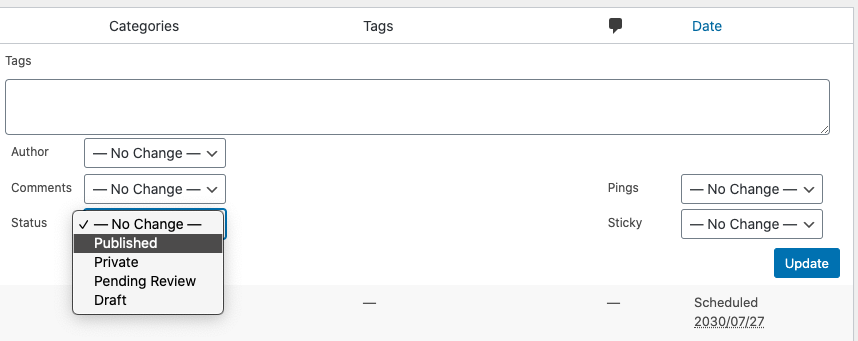
    Bulk publish Action for Posts

    Once you press the update button, WordPress will perform bulk actions to the WordPress posts.

    Note: All actions performed cannot be rolled back, hence update with utmost of care.
    Also keep reading for Pages and Products.

    Pages: 1 2 3

  • ColdStone Premium Theme: 3-Post Layout Unique WordPress Theme

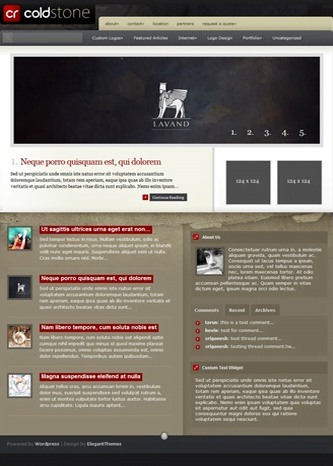
    A unique wordpress theme having three different homepage layout, for Business Style, Magazine Style and Blog Style. The magazine style template is designed to show lots of content on single page. Something I like about the elegant themes is the unique design website template with professional elements.

    3-Post Layout Unique WordPress Theme
    Magazine Style Template

    ColdStone Theme is a widget ready theme with built in theme option panel, which makes it fast and easy to manage for the beginners. The theme has two 125×125 ad slots on sidebar and a 468×60 in detailed post pages. Ads can easily be enabled or disabled from the theme options.

    ColdStone theme uses timthumb script to auto generate thumbnail and resize thumbnail images efficiently. Thumbnails are used in the Blog style template to make it organized. There are more features of coldstone wordpress theme, you can find them listed below:

    Key Features

    • 3 Unique template
    • Professional Design with Grunge
    • Widget Ready Template
    • User friendly Theme Panel
    • Ad Management
    • PSD files for logo and design
    • Browser Compatible-All

    If you are not satisfied with the features listed above, see screenshot below or you can also see the live preview of the theme. You can also download coldstone theme, here.

    Screenshot

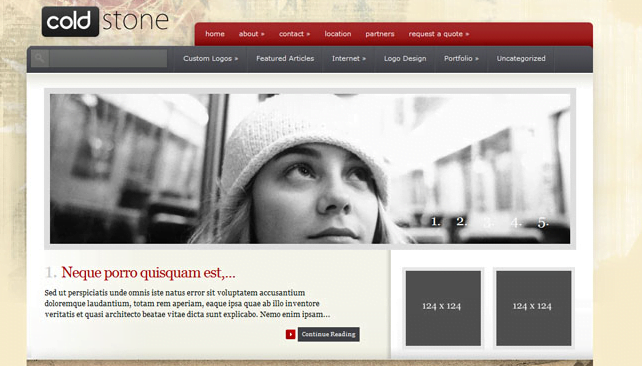
    ColdStone 3-Post Layout Unique WordPress Theme
    ColdStone WordPress Theme

    How to download ColdStone Theme ?

    ColdStone theme is a premium wordpress theme, crafted by elegant themes. Click the link below to download the theme.

    Download | Preview

    What do you think about ColdStone Theme and its features ? Do share your views for the theme here with us, by posting a comment below.

  • ePhoto WordPress Theme: Best Photo Portfolio theme for photographer blog

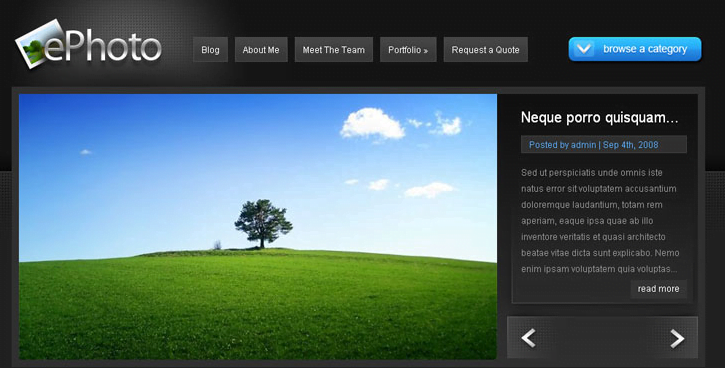
    ePhoto WordPress Theme is photo portfolio for photographer. I believe for best photographer website must have a photo gallery which elucidates its work, and ePhoto theme suits best-in for the scenario. It has jquery photo gallery slider with various animated effects, which gives elegant impression to visitor. Best thing I like about this theme is that it features to add blog posts with the photo gallery, hence a photographer can also share its experience with audience.

    ephoto-wordpress-theme-for-photo-blog-review
    Photo Gallery Slider

    ePhoto photo blog theme has two color black and blue schemes which can be easily switched from the option panel. With advanced theme option panel, it eases content management, with various settings.

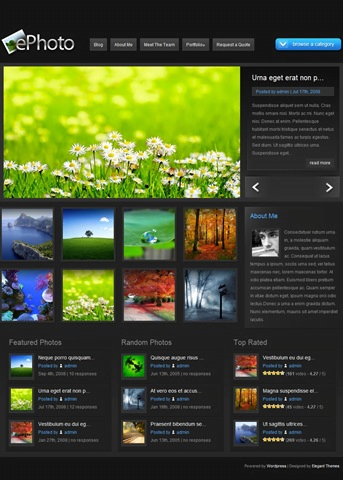
    ePhoto theme is  3 column wordpress theme with customized widget support.  For efficient working the theme is capable of dynamically resizing thumbnail. I have listed few more features about the theme, you can find them listed below:

    Key Features

    • Two color 3column layout
    • Blog Integration
    • High resolution Digital Imaging
    • Advanced Theme Option Panel
    • jQuery Photo Gallery
    • Gravatar Compatible Threaded Comments
    • Advertising Management
    • Customized Widgets for sidebar
    • PSD files
    • CSS + XHTML powered effects
    • Browser Compatible-All

    If you are not satisfied with the features listed above, see screenshot below or you can also see the live preview of the theme. You can also download ePhoto WordPress theme for photo blog, here.

    Screenshot

    Demo-ephoto-wordpress-theme-for-photo-blog-review
    ephoto-wordpress-theme-Preview

    How to Download ePhoto Theme ?

    ePhoto theme is a premium wordpress theme by elegant themes. Click the link below to download the theme.

    Download | Preview

    Do visit again to tell us, how did you find ePhoto WordPress theme ? Do share with us, which theme are you using for your photo  blog, by posting a comment/s below.